Guides & tutorials
Plain-English, step-by-step. No BIM or real-estate-finance background needed — each tutorial takes about five minutes.
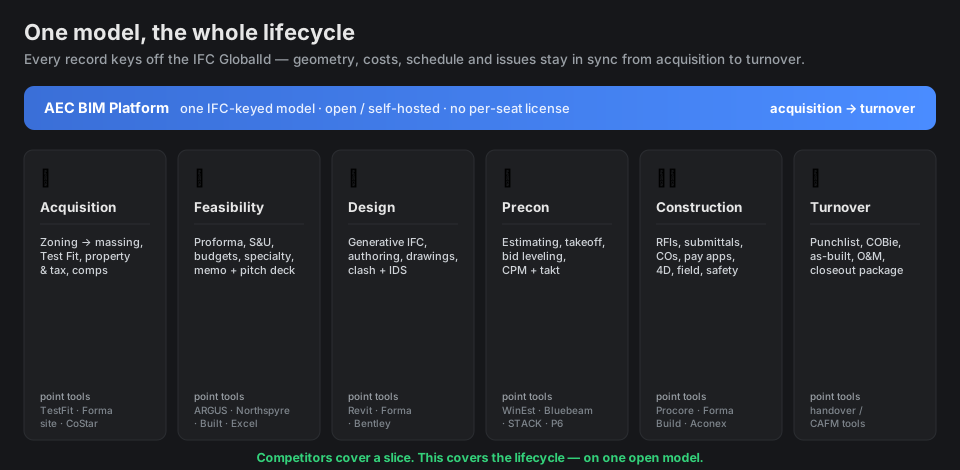
Getting started — three ways to run it
🧊 Try it in your browser (nothing to install)
Open the live demo, switch to the Model workspace, and pick a sample from Open ▾. The viewer runs entirely in your browser on bundled models.
💾 Free desktop app (full platform, offline)
Download the installer for Windows, macOS, or Linux. It's the whole platform in one app — no login, no Docker. Your data stays on your machine.
🐳 Server stack (teams)
For multi-user use, run the Docker stack — see the README.
Tutorial 1 · Explore a model
Learn to move around a 3D building and read its data.
- Open the app and make sure you're in the Model workspace (top bar).
- Click Open ▾ → BasicHouse (or any sample). The building loads in the viewer.
- Orbit by dragging, pan with right-drag, zoom with the wheel. Click ⤢ Fit to recenter.
- Click any element — its properties open on the right. Every element has a permanent IFC ID.
- Use the left rail: the tree (spatial breakdown), layers (show/hide by type), and ⊙ Isolate / ⊞ Show all.
- Try Section (cut through the model) and Measure (distances/areas) from the toolbar.
- Need other formats? Open ▾ → Open mesh / point cloud… loads OBJ/STL/PLY/glTF meshes and PCD/XYZ/LAS/LAZ point clouds as reference overlays. Tap 📱 Share via QR to open the project on a phone or tablet.
- Layer & coordinate models (Navisworks-style): each reference model has a ⛭ align panel (offset / Z-up flip / scale / move-to-point). Add discipline IFCs in the Coordination & QA panel (+ Add discipline IFC), then 🔗 Federated clash finds cross-discipline conflicts and files them as issues on the model.
Tutorial 2 · Generate a building from zoning ⭐
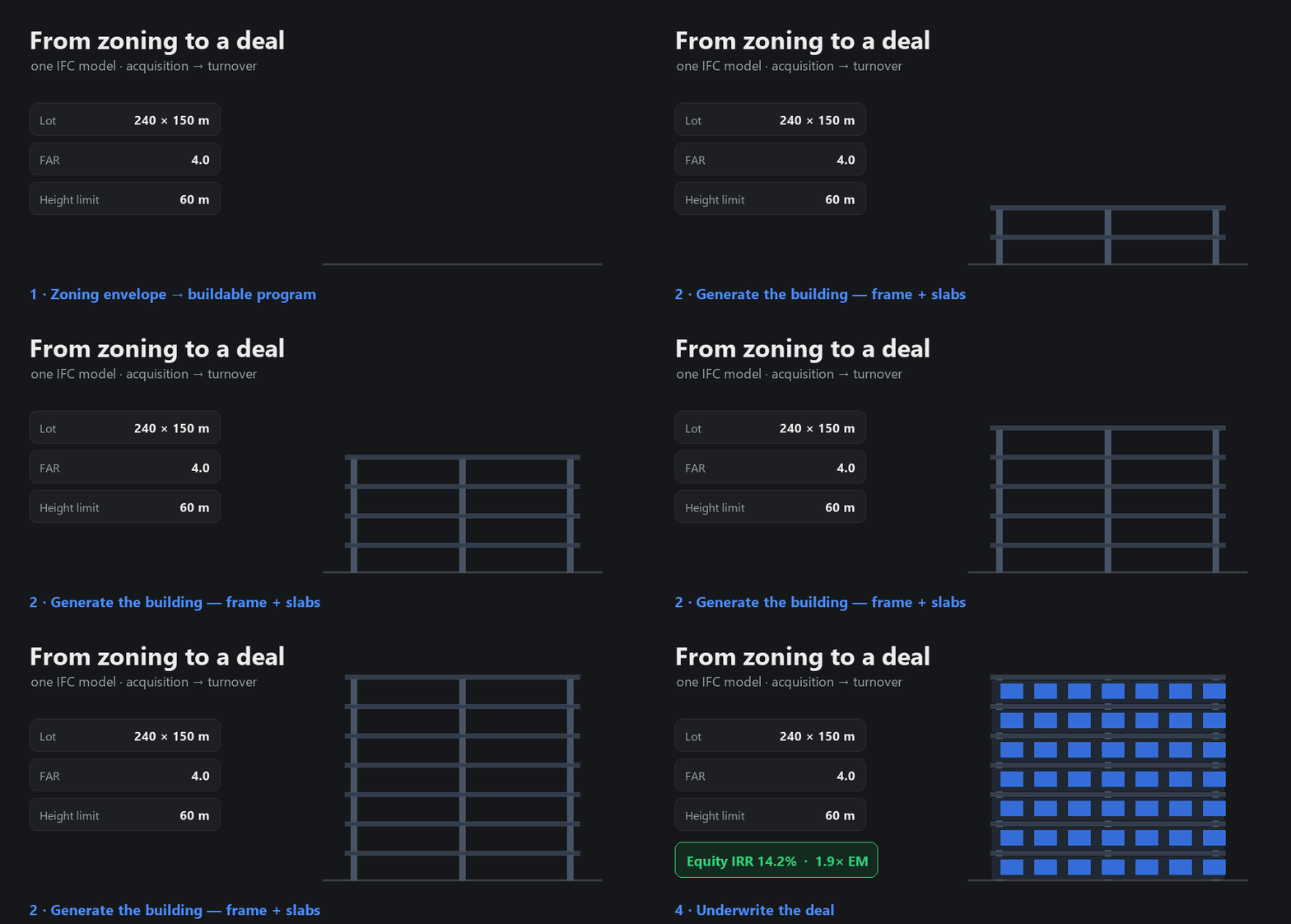
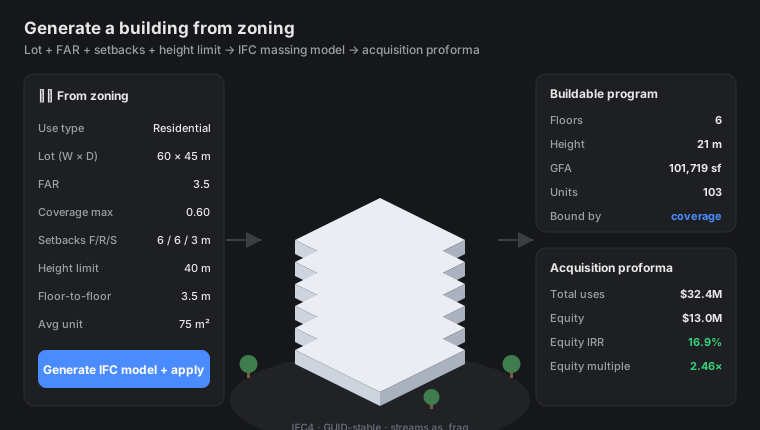
The headline feature: turn a lot + zoning rules into a real building and a first-cut deal.
- Go to the Finance workspace → Proforma tab.
- Find the 🏗️ Generate from zoning panel. Enter your lot (width × depth or area), FAR, setbacks, and a height limit.
- Tick the options you want: structural frame, unit layout (apartments on a corridor), facade envelope, service core.
- Click Estimate yield to preview the program (floors, units, GSF) and a starter proforma — instantly, without saving anything.
- Happy with it? Click Generate IFC model + apply. It builds a real IFC building, publishes it to the viewer, and loads the numbers into the live proforma.
- Switch to the Model workspace to see your generated building. Open Test Fit (back in Finance) to compare unit-mix schemes or ⚡ Optimize for the highest-yield layout.
Tutorial 3 · Underwrite a deal
Build the cost budget, balance the capital, and produce an investor package.
- In Finance, open the cost budget panel. Add line items by category — acquisition, hard (construction), soft (design/fees) — as $/unit × quantity, with a contingency %.
- Click Apply to proforma — the budget rolls into the deal's cost tree.
- Open Sources & Uses to see the capital plan (debt sized to your LTC/LTV/DSCR, plus equity).
- Tune the drivers (rent, exit cap, hold). Watch the returns bar — IRR, equity multiple, yield-on-cost — update live. Guardrail badges flag anything outside market ranges.
- Click 📄 Investment memo or 📊 Pitch deck to generate a polished PDF from the live numbers.
- Once the job is live, track the capital: the developer dashboard reconciles the GC's GMP to your underwritten hard cost (one click to sync), models construction-loan draws (equity-first, with interest accrual), and exports a lender draw-request PDF. The portfolio view rolls returns up across every deal.
Tutorial 4 · Run a project (GC portal)
Manage construction — works even with no model loaded.
- Click + New in the top bar to create a project (no IFC needed).
- Go to the Construction workspace. You'll see the dashboard and a catalog of modules (RFIs, submittals, change orders, daily reports, inspections, safety…).
- Open RFIs → + New, fill in the subject and question, and save. Use the workflow buttons (submit → respond) to move it along.
- Explore Board (kanban), filters, and the Related panel on a record (it links RFIs → change events → CORs automatically).
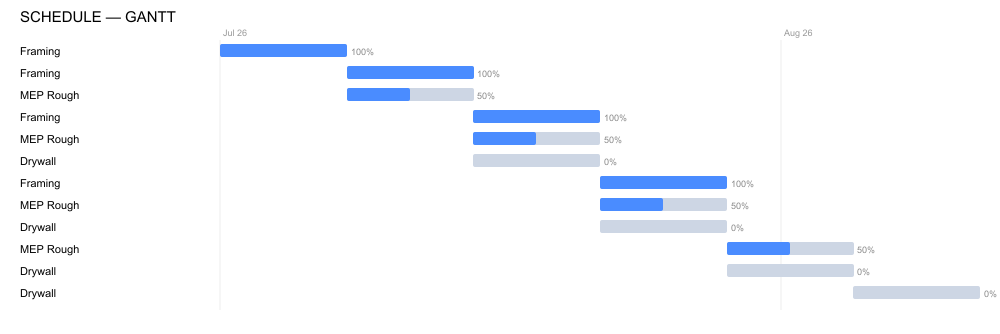
- Use Schedule for CPM/critical path, the takt chart, and the ⏱ 4D sequence slider to scrub the build in the viewer.
- Open Schedule → Budget for the project GMP: it assembles automatically from your cost codes, committed subcontracts (buyout) and GC/GR staffing, plus overhead / fee / contingency. Each line carries budget → committed → actual → forecast (EAC) and the variance, and reconciles to the prime contract. A cash-flow S-curve spreads it across the schedule.
- See cost on the model (5D): click any element for its 5D readout (cost code, budget, progress), or open the cost / progress heatmap to color the whole model by spend or % complete.
- Bill the owner: generate the pay application (G702/G703) PDF from the Schedule of Values — it draws straight from the budget lines, with retainage and stored-materials handled.
- Ask the "Ask AI" box plain-English questions like "what's overdue?" or "are we over budget?"
Tutorial 5 · Hand it over (turnover)
Close the project out and produce the handover package.
- Work the Punchlist: open an item, mark it ready, attach a photo, then verify (verification requires the photo — an evidence gate).
- Record commissioning, as-builts, warranties, and the completion certificate.
- Export COBie (the standard facilities-handover spreadsheet), the QTO, and a one-click turnover package (as-built IFC + COBie + closeout docs).
Glossary — plain English
| IFC | The open file format for building models. The platform's "source of truth" — every record points at an element's permanent IFC ID. |
| BIM | Building Information Modeling — a 3D model that also carries data (materials, costs, properties), not just shapes. |
| FAR | Floor Area Ratio — how much building floor area zoning allows per unit of land. FAR 3 on a 10,000 sf lot ≈ 30,000 sf of building. |
| Setback | How far a building must sit back from the property lines. |
| Massing | The basic size/shape of a building before detailed design — what "generate from zoning" produces. |
| Proforma | The financial model of a development — costs in, rent/sale out, returns calculated. |
| Hard / soft costs | Hard = physical construction. Soft = design, fees, permits, financing. Roughly 70–80% / 20–30%. |
| Sources & Uses | Where the money comes from (debt + equity) vs where it goes (land + construction + soft costs). |
| NOI | Net Operating Income — rent minus operating expenses. The basis for value. |
| Cap rate | NOI ÷ value. Lower cap = higher value. Used to estimate sale price at exit. |
| IRR / Equity multiple | IRR = annualized return %. EM = total cash back ÷ cash in (e.g. 1.9×). |
| Yield on cost | Stabilized NOI ÷ total project cost — the developer's "did this pencil?" number. |
| RFI | Request for Information — a formal question to the design team during construction. |
| Pay app (G702/G703) | The standard monthly billing forms a contractor submits for payment. |
| GMP | Guaranteed Maximum Price — the capped contract sum: cost of the work + the GC's fee. The platform builds it up from cost codes, buyout and staffing, plus markups. |
| Cost code / SOV | Cost code = a budget bucket (often by CSI division). Schedule of Values = the billing breakdown the pay app draws from — here it's seeded straight from the budget. |
| Buyout | Awarding subcontracts against the budget. The difference between the budget and what you actually commit is buyout savings (or overrun). |
| EAC / forecast | Estimate At Completion — what a line will ultimately cost given progress and committed amounts. Drives the over/under variance. |
| 5D | The 3D model + time (4D) + cost. Click an element to see its cost, or color the model by spend or % complete. |
| Loan draw | A scheduled withdrawal from the construction loan to pay for work in place — modeled equity-first, with interest accruing on the balance. |
| Takt / Line of Balance | Scheduling where each trade moves floor-to-floor at a steady pace — the "assembly line" approach. |
| 4D | The 3D model + time — scrub a slider to see what's built on any day. |
| COBie | The standard spreadsheet handed to the building's operator at turnover (assets, warranties, manuals). |
| Clash / IDS | Clash = two elements overlapping. IDS = a checklist your model must satisfy (data quality). |
FAQ
Do I need Revit or any paid software?
No. The platform is open and IFC-native. Revit files (.rvt) need a paid Autodesk bridge; IFC and Fragments load free and offline.
Is my data private?
On the desktop app, everything stays on your machine. The server stack is self-hosted — you run it.
Can I use just one part — say, only the proforma or only the GC portal?
Yes. Create a blank project (+ New) and use the Finance or Construction workspace on its own — no model required.
Can a team work on the same project?
Yes (on the connected/server stack). Invite members and give each a capability role (viewer → admin) and a party role (GC, Owner, Owner's Rep, Consultant, Subcontractor). The party role tailors their view and controls who can advance a workflow; the capability role gates what they can edit.
What does it cost?
The single-project desktop app is free with no per-seat license. A paid connected/cloud tier is planned.
How do I get help?
Re-open the in-app tour with the ? button, or file an issue on GitHub.